Portfolio Of Software Developer
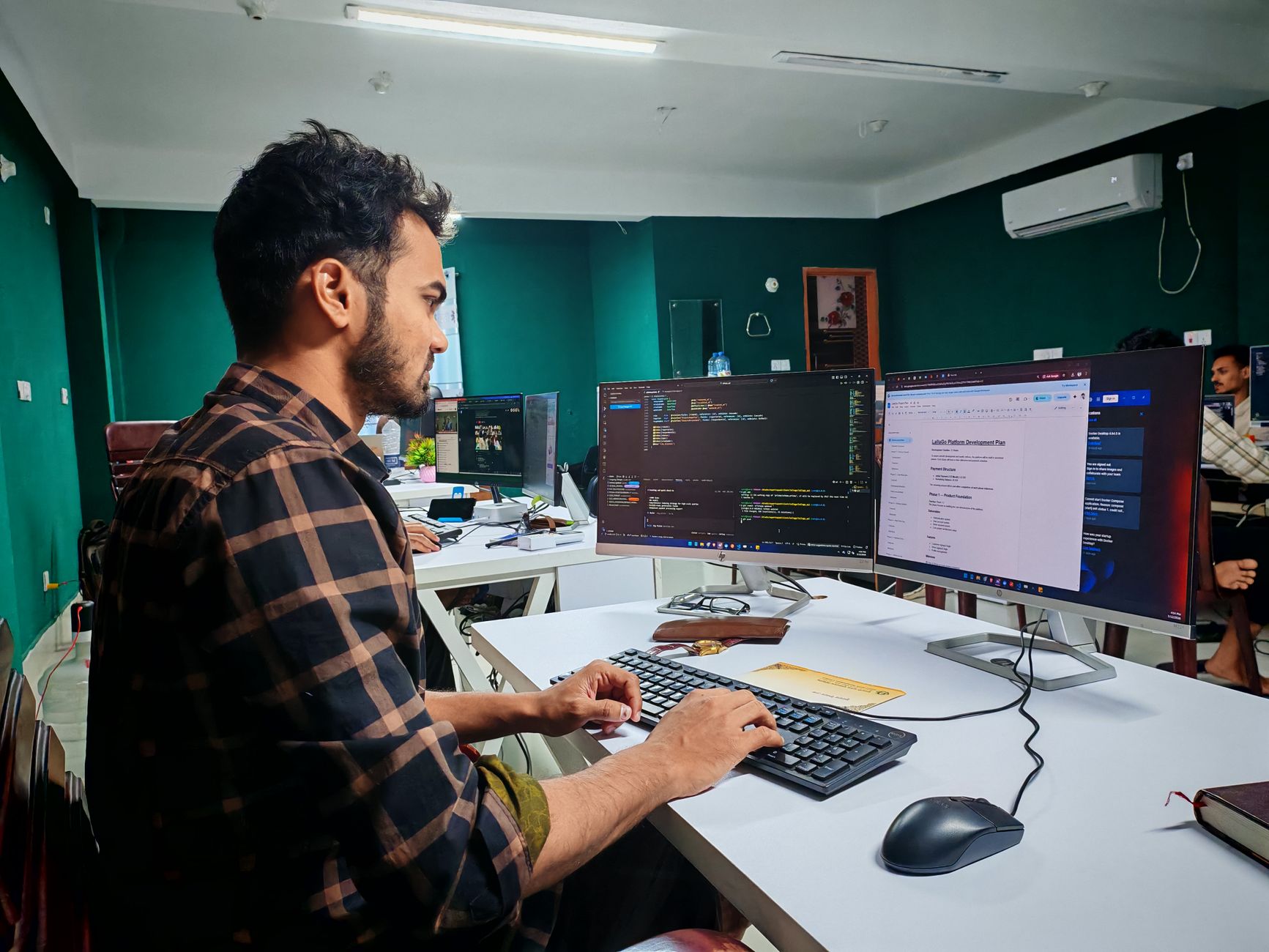 Photo by Zayed Hossain on Pexels (Pexels License)
A portfolio of software developer work is a live, curated showcase of your code, projects, and process that proves you can do the job — not just claim you can. It should open with your best 3-5 projects, include working demos or repos, and get out of the way so recruiters find proof of skill in under 30 seconds.
Recruiters and hiring managers don't read resumes closely anymore. They skim. Your portfolio has to do the convincing your resume can't — showing real code, real decisions, and real outcomes instead of a bullet-point list of buzzwords.
Key Takeaways
- A portfolio of software developer work should lead with projects, not a long "about me" bio — visitors want proof first.
- Skip skill percentages and progress bars. They don't mean anything to a hiring manager; years of experience or number of shipped projects communicate more.
- Three to five strong, well-documented projects beat ten shallow ones every time.
- Make contact information visible in both the header and footer, so nobody has to hunt for it.
- Run a Lighthouse audit before you consider the site finished — slow, inaccessible portfolios undercut the skills they're supposed to prove.
What Belongs in a Portfolio of Software Developer Work
Your portfolio exists to answer one question fast: can this person build the thing I need built? Everything on the page should serve that question.
At minimum, include:
- A clear headline stating your name and what you do (e.g., "Full-stack developer specializing in React and Node.js").
- 3-5 featured projects, each with a live demo link, source code, and a short write-up of the problem and your solution.
- A skills section listing languages, frameworks, and tools — described plainly, not with arbitrary percentages.
- A short bio written in first person, not third person.
- Contact details that are easy to find without scrolling.
- A resume link for recruiters who want the traditional format alongside the portfolio.
Why Projects Should Come Before "About Me"
One widely cited review of over 40 developer portfolios found that many junior developers give more visual weight to their "about me" section than to their actual projects. That's backwards. Visitors come to a portfolio to see what you've built, so your project list — or a project preview — should appear before or alongside your bio, not several scrolls beneath it.
This matters more than people think. The reviewer behind that study also noted it takes less than a second for someone to form a first impression of your page. If that first second is spent reading a paragraph about your childhood love of Legos instead of seeing your work, you've lost momentum you won't get back.
Write in First Person, Not Third
A small but common mistake: writing your bio like a press release. "John is a JavaScript developer with five years of experience" reads cold and oddly formal for a personal site. Swap it for "I've been building with JavaScript since 2019" or similar. It sounds like a person talking to another person, which is exactly the tone a portfolio needs — you're not a brand, you're a developer looking to work with other developers or get hired by a recruiter reading your page at 11 p.m. before a hiring meeting.
 Photo by Zayed Hossain on Pexels (Pexels License)
How to Structure Your Portfolio of Software Developer Projects
 Photo by Jakub Zerdzicki on Pexels (Pexels License)
Structure decides whether visitors stay or bounce. A confusing layout undermines even excellent code, because nobody sticks around long enough to find it.
The One-Page vs. Multi-Page Debate
Both formats work. The right choice depends on how much you have to show and how experienced you are.
| Format | Best for | Pros | Trade-offs |
|---|---|---|---|
| Single-page scroll | Junior to mid-level developers with 3-5 projects | Fast to build, easy to navigate, works well on mobile | Gets cluttered past 5-6 projects |
| Multi-page site | Developers with a large body of work or a blog | Room for detailed case studies, better for SEO over time | Takes longer to build and maintain |
| Hybrid (homepage + dedicated project pages) | Most working developers | Fast overview plus depth for anyone who wants it | Requires more planning upfront |
A hybrid approach — a lean homepage that links out to individual project pages — tends to serve both audiences: recruiters who scan and other developers or clients who want technical depth.
Reduce Clicks, Not Content
Every click should lead somewhere useful. If someone clicks "Projects" in your nav and lands on a section that requires another click to see any actual project, you've added friction for no reason. The same goes for "About" links that dump visitors into a wall of text with no way back to the work. Keep navigation shallow: home, projects, about, contact — that's usually enough.
Make Contact Information Impossible to Miss
Your portfolio's entire job is to get you hired or hired for freelance work. If someone has to search for how to reach you, you've broken that job at the last step. Put your email or a contact link in the header and repeat it in the footer. Some developers keep social icons fixed on the page as you scroll, so contact options are always one glance away.
Choosing What Projects to Feature
Not every project you've built deserves a spot. Curating your best work signals judgment — a skill hiring managers care about as much as raw coding ability.
Quality Over Quantity
Three to five well-documented projects usually outperform ten thin ones. For each featured project, include:
- The problem it solves and who it's for
- Your specific role and contributions, especially on team projects
- The tech stack, named plainly (React, PostgreSQL, Next.js, etc.)
- A live link and a link to the source code
- Screenshots or a short demo video, since not every visitor will click through
If you're early in your career and don't have client work yet, open-source contributions and self-initiated projects are legitimate substitutes. A hiring manager cares less about who paid you and more about whether the code works and you can explain your decisions.
Skip the Skill Percentage Bars
Progress bars claiming "JavaScript: 90%" or "Python: 75%" show up constantly in developer portfolios, and they consistently draw criticism from people who actually review these sites for a living. Nielsen Norman Group's research on how users read on the web points to the same underlying problem: people scan for concrete, scannable information, and an arbitrary percentage doesn't give them anything real to latch onto — nobody knows what "90% skilled" is measured against. If you want to quantify your experience, use something a reader can actually interpret: years of experience with a language, or the number of production projects you've shipped with it. Those numbers are universally understandable in a way a percentage never is.
 Photo by Daniil Komov on Pexels (Pexels License)
Design Choices That Actually Matter
Design decisions in a portfolio of software developer work should support clarity, not showcase every animation library you know.
Minimal vs. Original: Pick a Lane
If you're newer to design, keep it simple: stick to around three main colors and no more than two fonts, and keep copy direct. Once you're more comfortable with visual design, you can start introducing more personality and creative flourishes — but that comes after the fundamentals are solid, not instead of them.
Less Interactivity, Not More
Heavy animation and constant motion can feel impressive to build but often hurts the experience for the person visiting. If an animation doesn't add information or guide attention, it's probably subtracting from usability rather than adding to it. Ask honestly: does this element help someone understand my work faster, or is it decoration?
Performance and Accessibility Aren't Optional
Before you call your site done, run it through Google Lighthouse, a free auditing tool built into Chrome. It flags real, fixable problems: slow-loading images, missing alt text, weak color contrast, and SEO gaps. A portfolio built to prove your technical competence loses credibility fast if it scores poorly on the same technical benchmarks recruiters can check in ten seconds. If you're a Next.js developer, there's a direct path here — building fast, SEO-friendly sites with Next.js is exactly the kind of technical decision your portfolio should demonstrate you understand, not just talk about.
Real-World Examples Worth Studying
Looking at how other developers structure their sites is one of the fastest ways to calibrate your own. A widely referenced open-source list on GitHub — "developer-portfolios" by Emma Bostian — has collected submissions from thousands of developers (the list has passed 1,900 entries), spanning frontend engineers, full-stack developers, mobile developers, and increasingly AI-focused roles. Browsing a sample of these gives you a fast sense of what's common practice versus what stands out.
Separately, roundups of well-known individual portfolios (Brittany Chiang, Bruno Simon, and others frequently cited in web developer portfolio write-ups) show a consistent pattern: even highly creative, animation-heavy sites still put a name, a role, and a way to see the work within the first screen. The creativity sits on top of clear structure — it never replaces it.
What These Examples Have in Common
| Pattern | Why it works | How to apply it |
|---|---|---|
| Name + role stated immediately | Visitors know in seconds who you are and what you do | Put this above the fold, no scrolling required |
| Projects linked from the homepage | Reduces clicks to reach proof of skill | Feature 3-5 projects directly on the landing view |
| Consistent, limited color palette | Looks intentional rather than chaotic | Pick 2-3 core colors and reuse them everywhere |
| Contact option always visible | Removes friction at the moment someone decides to reach out | Fix a contact link or icon in the header/footer |
| Case-study style project pages | Shows reasoning, not just finished output | Write a short problem-solution summary per project |
Portfolio Content by Experience Level
What belongs in your portfolio changes depending on where you are in your career. A student's portfolio and a senior engineer's portfolio shouldn't look the same.
Students and Junior Developers
Lean on coursework projects, hackathon builds, and open-source contributions. Be transparent about your role on group projects rather than implying you built everything solo — hiring managers ask follow-up questions, and vague claims fall apart fast in an interview. A clean, simple design with a couple of solid, well-explained projects will outperform a flashy site with weak substance every time at this stage.
Mid-Level Developers
This is where a body of shipped work starts to matter more than raw potential. Highlight projects with measurable impact where you can — performance improvements, features you owned end to end, or systems you helped scale. If you've worked on a portfolio site professionally or for clients, following developer portfolio best practices helps you avoid the common structural mistakes that make otherwise strong work look unpolished.
Senior Developers and Specialists
At this level, your portfolio can lean more on architecture decisions, technical writing, and leadership on complex projects than on volume. A blog section demonstrating how you think through problems often carries more weight than another project listing. Employers evaluating senior candidates are often trying to understand judgment, not just execution — how hiring teams evaluate software developers covers what actually earns trust at this stage, and it applies well beyond one region.
Common Mistakes That Undercut a Strong Portfolio
Even developers with solid technical skills sabotage their own portfolio with avoidable errors:
- Burying your best work. If your strongest project is your fifth listed item, move it up. Recency and relevance to the role you want should decide order, not chronology.
- Writing in third person. It reads like a corporate bio, not a person.
- Overusing skill bars or percentages. Replace them with years of experience or project counts.
- Making visitors click multiple times to see anything. Every extra click is a chance for someone to leave.
- Hiding your contact information. Put it in the header and the footer, not buried on a separate page three clicks deep.
- Skipping the technical audit. A slow, inaccessible site undermines the credibility of a portfolio meant to prove technical skill.
- Letting the design outshine the content. Impressive animation with no clear proof of skill behind it reads as style without substance to an experienced reviewer.
Should You Build It Yourself or Hire Help?
Most developers should build their own portfolio — it's arguably the single best demonstration of your actual coding ability, more convincing than any project write-up could be. A simple, fast, well-organized site built with plain HTML/CSS or a framework like Next.js says more about your skill than a template ever will.
That said, hiring a designer for visual polish makes sense if design genuinely isn't your strength and you have the budget for it. The trade-off: a hired designer can make your site look sharper, but they can't demonstrate your code quality the way building it yourself does. If you're a developer, that's usually reason enough to keep it in-house, at least for the build itself.
FAQs
What should a software developer's portfolio include at minimum?
A clear name and role statement, 3-5 featured projects with live demos and source code, a skills list, a short first-person bio, and visible contact information. That combination covers what most recruiters and hiring managers look for first.
How many projects should I put in my portfolio?
Somewhere between three and five well-documented projects is typically enough. Quality and clear explanation of your role matter far more than the total count.
Should I use a template or build my portfolio from scratch?
Building from scratch, even a simple one, demonstrates real coding skill and gives you full control over performance and structure. Templates are faster but can look generic and won't showcase your own technical ability the same way.
Do skill percentage bars help or hurt a developer portfolio?
They generally hurt more than they help. Reviewers commonly note that percentages like "90% JavaScript" don't communicate anything concrete. Years of experience or number of projects shipped are clearer and more credible.
How do I know if my portfolio performs well technically?
Run it through Google Lighthouse in Chrome. It checks performance, accessibility, SEO, and best practices, and flags specific, fixable issues like unoptimized images or missing alt text before you consider the site finished.
Start With Your Three Strongest Projects
Pick your three strongest projects, write a short problem-and-solution summary for each, and put them above the fold on your homepage before you touch anything else. That single change fixes the most common weakness in a portfolio of software developer work faster than any redesign.